
For third-party administrators
Every client's rules, on every claim.
Handle claims for carriers, MGAs, self-insured employers and public entities in one workspace, with each client's instructions, loss fund and loss runs built in, and a portal your clients will use.
Pricing on request · from 1 user · portal users free
Best uses
What TPAs use it for
Client instructions on every claim
Each client's handling instructions, authority, service deadlines and reporting schedule show on every one of its claims, so no examiner misses them.
Loss funds
Deposits and payments by client, the running balance, a low-balance alert and a replenishment request ready to send.
Loss runs in one click
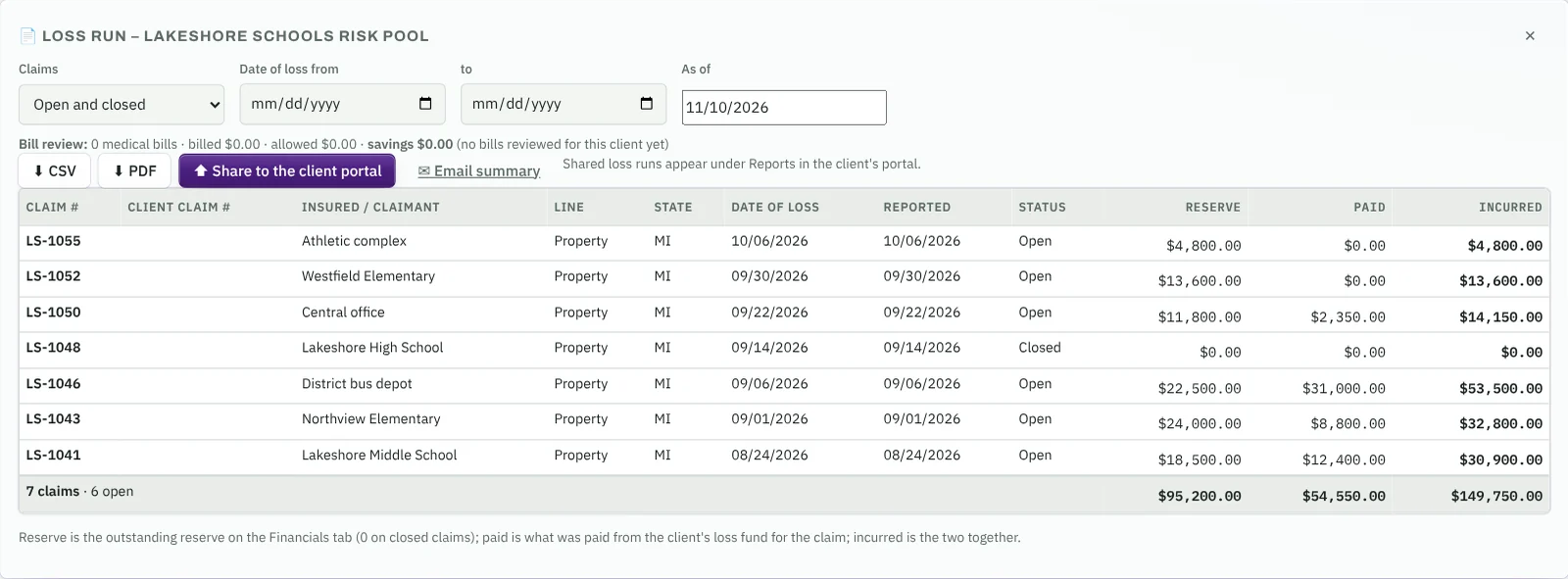
Reserve, paid and incurred for every claim as of any date, as CSV or PDF, or shared straight to the client's portal.
A portal your clients will use
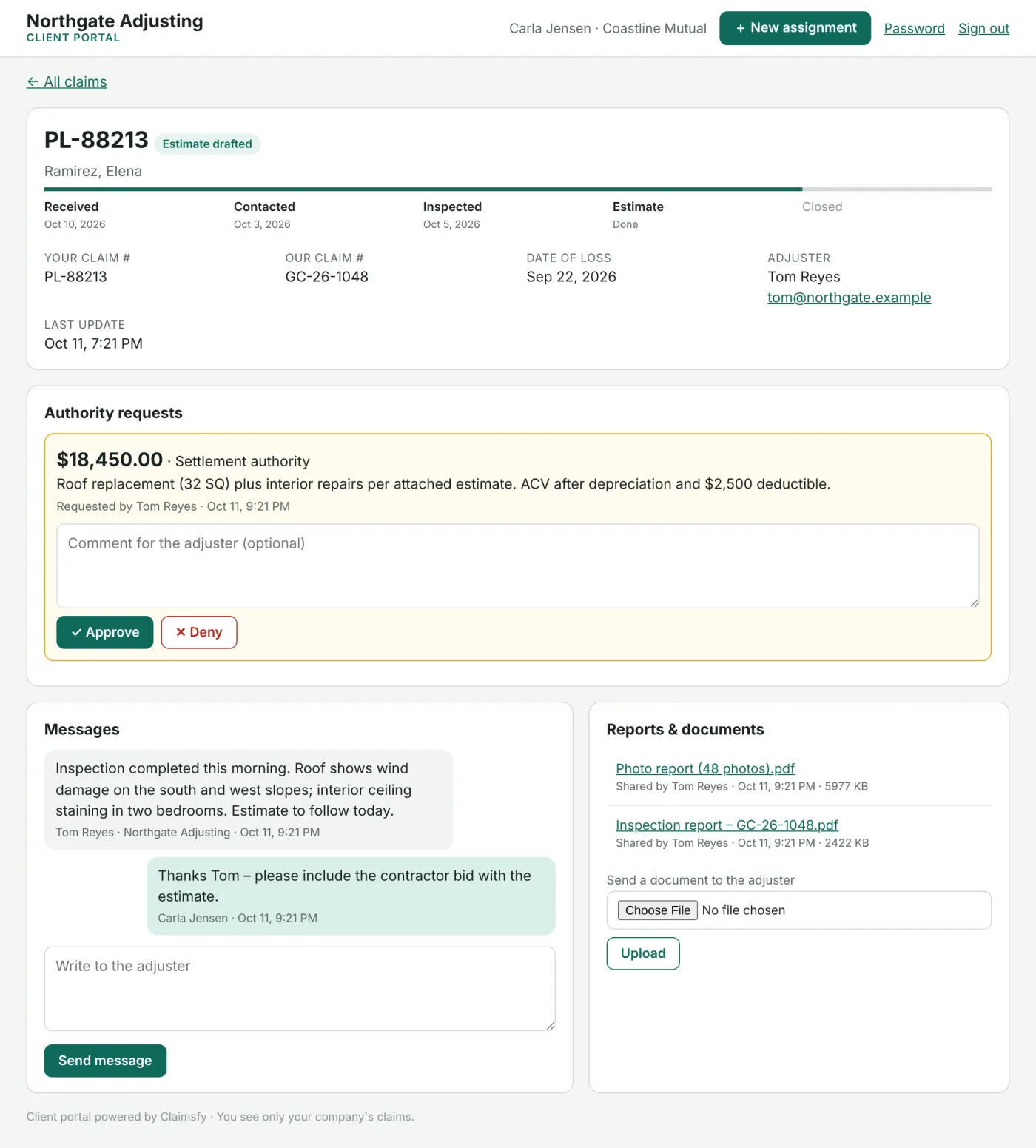
Clients follow status, download reports and loss runs, message the examiner, approve authority and send new claims.
Client portalDeadlines that follow the client
Each client's contact, inspection, reserve and status-report deadlines, alongside the loss state's rules. The stricter date wins.
The back office, too
Billing per client with fee schedules, adjuster onboarding, payables and payroll files, next to the claims they come from.
Clients
Each client's rules travel with the claim
- Handling instructions written once on the Clients tab, shown on every claim for that client.
- Authority: reserves above the client's limit go to the client to approve in the portal.
- Reporting: initial reserve within so many days and a status report on the client's schedule, tracked as deadlines.
- The loss fund balance on the claim, with payments recorded right there.

Loss runs and loss funds
No more month-end spreadsheets
- Loss runs by client, filtered by date of loss and open or closed claims, with totals.
- CSV, PDF or the portal: share it and the client downloads it under Reports.
- Fund ledgers with deposits, payments, refunds and adjustments, and a statement to download.
- Low-balance alerts on the Claims Queue, and a replenishment email for the right amount.
Client portal
Fewer status calls, faster approvals
- Progress at a glance from received to closed, with dates.
- Authority requests your client approves or denies with a comment.
- Messages that stay with the claim, so the whole team sees them.
- Reports, documents and loss runs you choose to share, ready to download.
Back office
Run the business side in the same place
Onboarding, billing, payables and payroll sit next to the claims they come from, so nothing is keyed twice.
Adjuster onboarding
W-2 and 1099 paperwork online: W-4, W-9, I-9 tracking, agreements signed electronically, licenses and insurance with expiration reminders.
Billing per client
Each client gets its own fee schedule, graduated, flat or time & expense. Adjusters log time and expenses on the claim, and invoices follow.
Receivables and payables
Payments received, aging and statements by client. Vendor bills, approvals and bank payments, with a vendor file for every company you use.
Payroll
Pay runs from hours, fee splits and expenses, a file for your payroll provider, a direct deposit file for your bank, and year-end 1099 totals.
Claimsfy prepares pay and hands it to your payroll provider and bank. Your payroll provider calculates taxes and withholding.
Self-insured and public entities
Everything a self-administered program needs, in one place
Counties, cities, school districts, risk pools and self-insured employers run their own workers' comp and liability programs on Claimsfy TPA, including the reporting the state and federal rules require.
Policy and asset registers
Every client's policies with terms, limits and SIRs, and its vehicles, buildings, equipment and fine arts schedules. A new claim picks the policy and the asset, and the declarations fill in.
Litigation and subrogation
Suit records with venue, counsel, key dates and legal budget against paid expense. Subrogation demands, statute dates and recoveries that post back to the loss fund, so loss runs show paid net of recovery.
Payments, ACH and 1099s
Recurring indemnity schedules that create payments on their dates, bank files in NACHA format for your bank, payee records with masked tax IDs, and year-end 1099 totals and exports.
Medical bill review in the platform
Enter CMS-1500 and UB-04 bills, load your state fee schedule, reprice every line with duplicate and date checks, print the EOB and send an 835 remittance. Savings show on the loss run.
State EDI, OSHA and Medicare reporting
FROI and SROI transactions for state workers' comp reporting with acknowledgments and a monthly acceptance report card; OSHA 300, 300A and 301 from your claims; Medicare Section 111 query and claim files.
Benefit rate tables
State maximum and minimum comp rates, waiting and retroactive periods by year, loaded from a file and applied on the Benefits tab, with the source shown on every calculation.
Funds, departments, retention and board reports
For each client that's a city, county, school district or risk pool, the same tools as Claimsfy Public Entity.
- Funds and loss runs: payments post to the fund, recoveries are credited back, and loss runs filter by fund, line, department and policy year.
- Departments and locations on claims, policies and assets, with a charge-back report for each department.
- Self-insured retention and excess: incurred against the retention, reporting alerts, excess notices and excess recoveries.
- Board reports: open claims, paid and incurred by department and line, litigation, fund status and large losses.
State fee schedules, EDI element tables, benefit rates and Medicare layouts are loaded from the published files for your state and program. Claimsfy ships example tables, marked as examples, so you can see every screen before loading your own.
Storage and backups
Unlimited storage for every client
Storage isn't billed per client, per claim or per gigabyte. Take on new clients and programs without planning for space.
Each client's files, all in one place
Claim files, loss runs, reports and everything shared through the client portal stay with each client's claims, with no limit on files or portal users.
Book transfers without the math
Take over a large book of open and closed claims at once. Space grows on its own as the files come in.
Kept for the long term
Each night the whole workspace is copied to separate, encrypted storage. Every night's copy is kept for 90 days, and the copy from the 1st of each month for 7 years. Recover any day from the last 90 days, or any month from the last 7 years.
Built for third-party administrators
Tell us about your team in a short questionnaire, and we reply within one business day with pricing and next steps. Setup and data migration are done with the Claimsfy team.
Start with one user. Client portal users are free and unlimited.
Want it set up your way? TPA setup package $1,950. Customization prices
Request pricingWhat's included
- Clients with handling instructions, authority and service deadlines
- Loss funds with low-balance alerts and replenishment requests
- Loss runs as CSV or PDF, or shared to the client portal
- Client portal: status, reports, messages, authority approvals, new claims
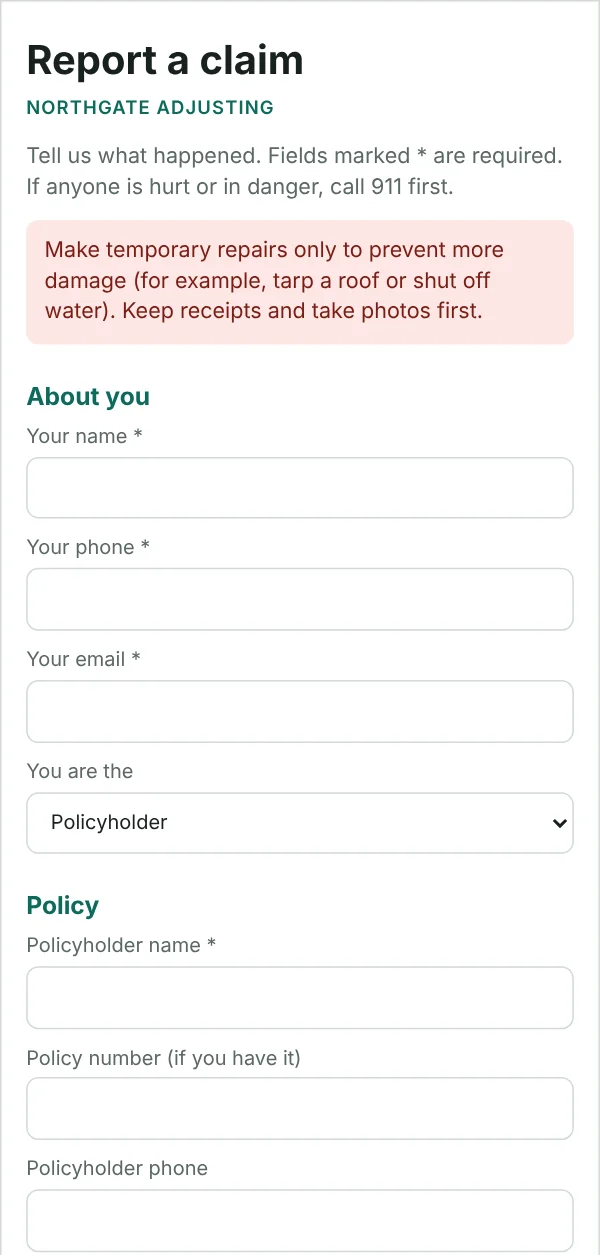
- Claim intake: report-a-claim page, email and RMIS bulk import
- Claim deadlines by client and state, and storm events by state
- Dispatch to field staff, firms and experts, with a vendor portal
- Back office: onboarding, billing, payables and payroll
- Unlimited storage, backed up every night
- Two-step sign-in, AI, hosting, updates and priority support
Medical bills, built in
Medical bill intake from any carrier, bill review and repricing, provider billing and fraud indicators for review, on your clients' workers' comp, liability and auto claims.