
For QA reviewers and file examiners
Every field file checked before it goes out.
Claimsfy QA is only for QA review of what field adjusters send in: the FNOL, the photos, the estimate and the narrative. Each part is checked and scored, the estimate against the carrier's guidelines, and the corrections go back to the field adjuster on the same link they used to send the file.
Introductory price $169 per user per month · from 1 user · reviewers and supervisors count as users
Six tabs, all QA
Queue, QA Summary, FNOL, Photos, Estimate and Narrative
No letters, payments or phone. Start one with New QA review, bring in the field adjuster's file, and check it part by part.
The field file, sent in
Send the field adjuster a link. They upload the FNOL, photos, estimate and narrative, each in its own box, with no account, and the bell tells you it arrived.
FNOL
Missing loss facts, dates out of order, late reporting, and the first contact against the state's acknowledgment deadline, with the citation.
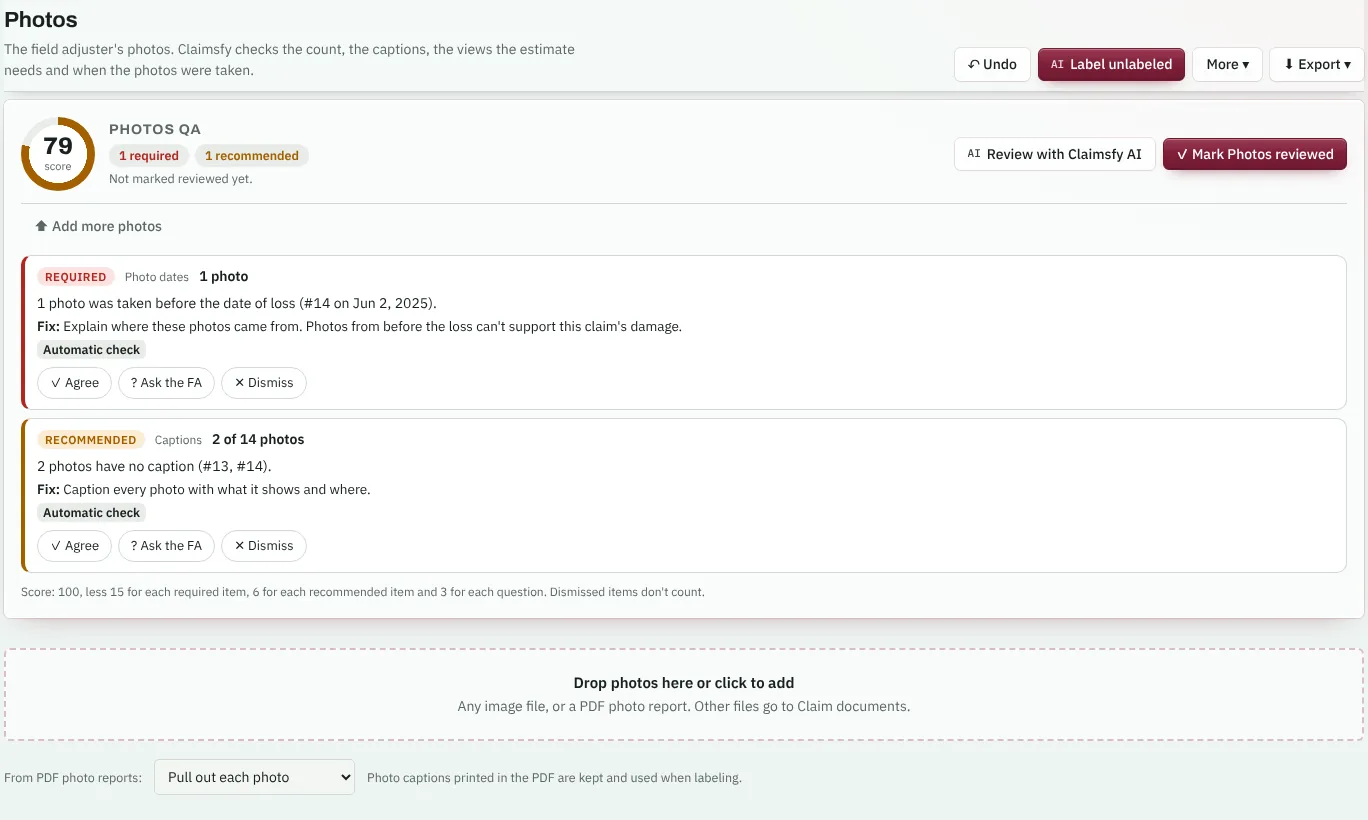
Photos
Captions, the front of the risk, each elevation, the roof and every room in the estimate, and photos the camera dated before the loss. Claimsfy AI looks at the photos themselves.
Estimate
Reviewed against the carrier's estimating guidelines, or standard practice when none are on file, with the dollar effect of every finding.
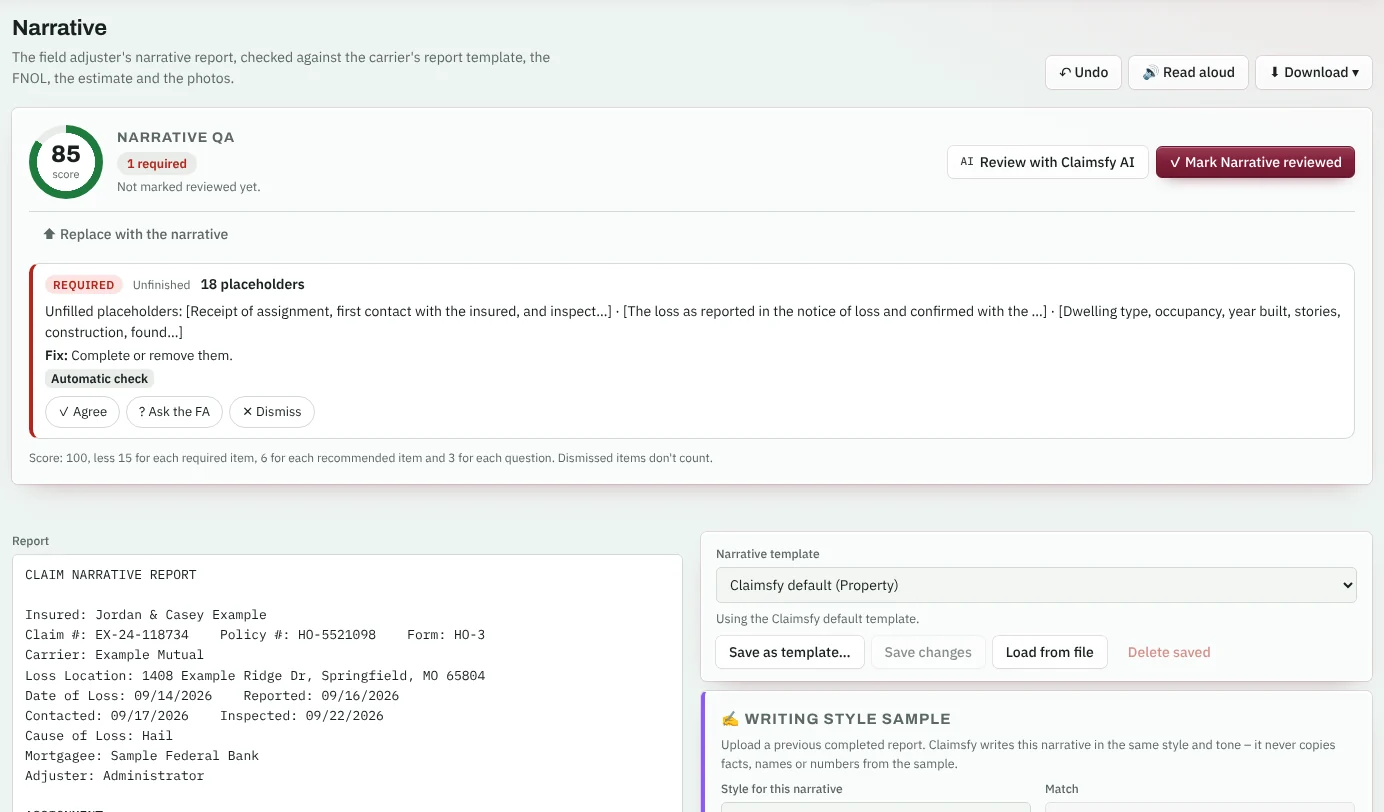
Narrative
Every section of the carrier's report template, and the figures and facts checked against the estimate and the FNOL.
Back to the field adjuster
Agree, ask or dismiss each finding. The corrections write themselves; approve the file or return it, and the field adjuster sees the corrections on their link.
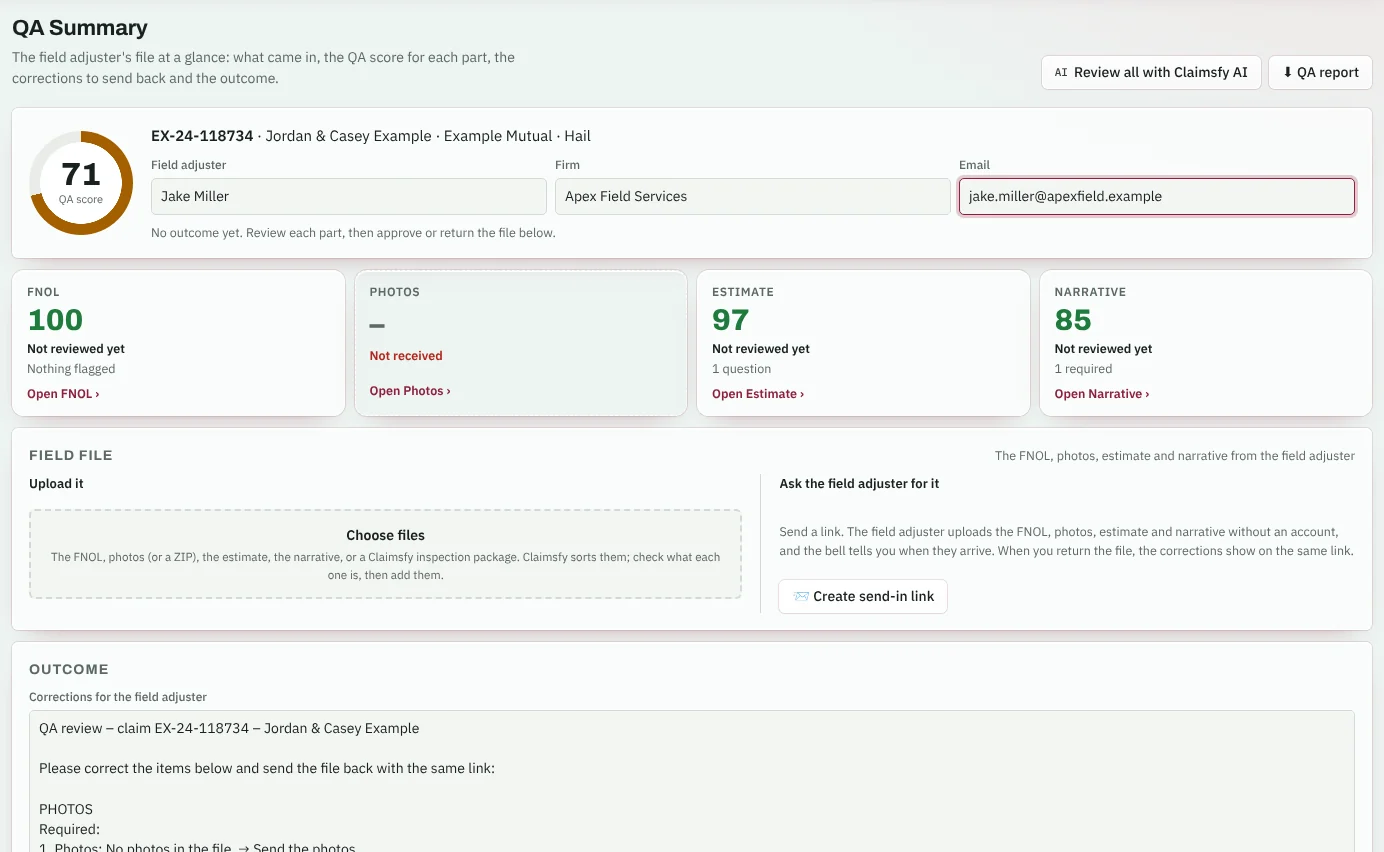
The QA Summary
The whole field file on one screen
- A send-in link for each file. One box each for the FNOL, photos, estimate and narrative, plus anything else. No account needed.
- Or upload it. Claimsfy sorts the files into their parts. ZIPs of photos, photo report PDFs and Claimsfy inspection packages all work.
- Read into place: the FNOL into its fields with Claimsfy AI, and the estimate's lines from any estimating program's PDF, Excel or CSV export.
- A score for every part and for the file, with what's left to review.
Each part, checked
Exactly what to fix, and why
- Required, Recommended or a Question, each with the fix, on the tab where you can see the part itself.
- Agree, ask the field adjuster, or dismiss with a reason. Your name and the time are saved with each decision.
- A score you can explain: 100 for each part, less 15, 6 or 3 for each required item, recommended item or question.
- Review with Claimsfy AI on any part, or all four at once. It never invents facts or rules.
The outcome
Corrections back to the field adjuster
- Corrections written from your decisions, part by part. Edit them as you like.
- Approve, approve with corrections, or return the file. Each outcome is saved with every part's score.
- On the field adjuster's link: a returned file shows the corrections at the top, and they send the corrected file right there.
- A QA report as a PDF, with every finding and decision.
QA review of every field file
Introductory priceFirst-year price for new subscriptions
Reviewers and supervisors count as users. Start with one user.
Want it set up your way? Customization prices
Start 24-hour free trialWhat's included
- A send-in link for the field adjuster's file, with an alert when it arrives
- FNOL, photo, estimate and narrative checks, with a score for each
- Estimate review against the carrier's guidelines library
- Narrative checked against the carrier's report template
- Review with Claimsfy AI, including the photos themselves
- Corrections for the field adjuster, shown on their link
- Approve, approve with corrections, or return; a QA report
- Supervisors assign and reassign files for review
- Remote sign-in and two-step sign-in for every account
- Unlimited storage, backed up every night
- AI, hosting, updates and email support